Support / Getting started
Getting started with Binda
Binda gathers medications, shifts, notes, appointments, and family updates into one calm place. Here’s how to set things up — it takes about ten minutes.
Try it first, if you like
You don’t have to sign up to see what Binda is. Open app.binda.health/demo in any browser and you’ll be dropped straight into a fully furnished care circle — Eleanor’s medications, her caregiver’s notes, the family feed, the appointments already in place.
- No account, no card, nothing to install. The demo signs you in on the spot.
- It’s yours alone. Every visitor gets their own private copy, so you can change, add, and delete anything without touching what anyone else is looking at.
- Nothing is kept. The circle disappears about a day later, along with everything you did in it.
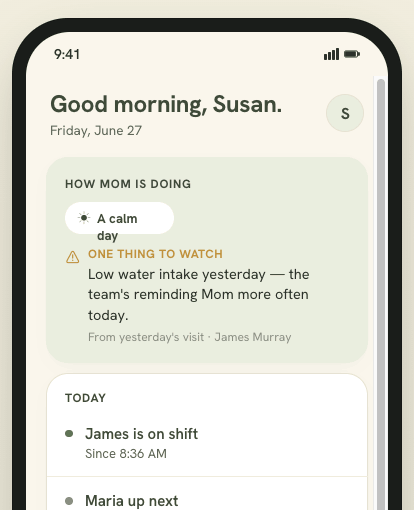
1. Download the app
Binda is a mobile app for iPhone and Android.
- iPhone / iPad — search “Binda” on the App Store, or open binda.health on your phone.
- Android — search “Binda” on Google Play.
- On a computer — some tasks are also available in your browser at app.binda.health.
2. Create an account
Open Binda and choose how you’d like to sign in:
- Sign in with Apple
- Sign in with Google
- Email and password
Whichever you pick, you can always sign back in the same way. Your email is only used for your account and important notices — never sold or shared for advertising.
3. Set up a care plan
A care plan is the shared space for one person you’re caring for — usually a parent. It holds their medications, appointments, notes, the care team, and the family feed.
- Tap Create a care plan and add the person’s name (and a photo, if you like).
- Answer two short care setup questions: who does the hands-on care (mostly you, you and others, or paid caregivers) and whether the person has a diagnosis that shapes their care (dementia, Alzheimer’s, Parkinson’s, something else, or none). Binda uses these to fit Home to your situation — if you care alone, it won’t describe a team you don’t have. Both can be changed later in Plan settings → Care setup, and you can skip them.
- Set their time zone — everything Binda shows (dose times, shift times) uses the care recipient’s local time.
- Add a few medications to start — name, dose, and when they’re taken. You can add more any time.
- Add any doctors you already know you’ll want on file.
4. Invite your team
You don’t have to do this alone. Open Team and tap Invite to bring in the people who help:
- Enter the person’s name and email.
- Choose their role — caregiver, family, doctor, or observer.
- Binda sends them an invitation to join. Caregivers and family join for free.
Each role starts with sensible defaults for what it can see, and you can adjust permissions section by section afterward. More on that in Team & permissions.
Understanding the roles
- Family coordinator (you) — sets everything up, invites people, controls permissions, and holds the subscription.
- Caregiver — a paid caregiver, agency or independent. Logs shifts, writes handoff notes, records observations. Free to use.
- Family — relatives who want reassurance without the logistics. They see the warm family feed and can react and comment.
- Doctor / observer — invited to see a scoped slice (for example, clinical data but not finances).
If you were invited to a plan
Someone caring for your loved one added you to their plan. To join:
- Open the invitation email and tap Join, or download Binda and sign in with the same email address it was sent to.
- Sign in with Apple, Google, or email.
- You’ll land in the plan with the access your coordinator chose for your role.
Didn’t get the invite? Check spam, confirm the coordinator used your correct email, and see common fixes — or ask them to resend it from the Team screen.